Why Did Instacart Reject My Product Image?

We recently shared information about product images on Instacart, best practices for submitting product images, and how to know if your product images were approved. If you haven’t read these articles, it may be helpful for you to review them before digging into this one. If you have but you’re still running into trouble, this article can help you dive deeper into the most common reasons for image rejections, and what steps you can take to fix your submission.
When your submission is rejected, you should receive an email notification. When you check on the submission in the Library (in Instacart Ads Manager), a reason for rejection will be included. If no reason is included, or if you are confused by the reason listed, see below for some helpful tips and common mistakes.
Submitting Edits in the Library
If you’ve received a rejection email and you need to go into the Library to make edits, it’s important to know that you do not need to fill in every field when you’re making edits. For example, if you only want to update the first image, edit the first image only.
Common Product Image Mistakes
The photo contained a background
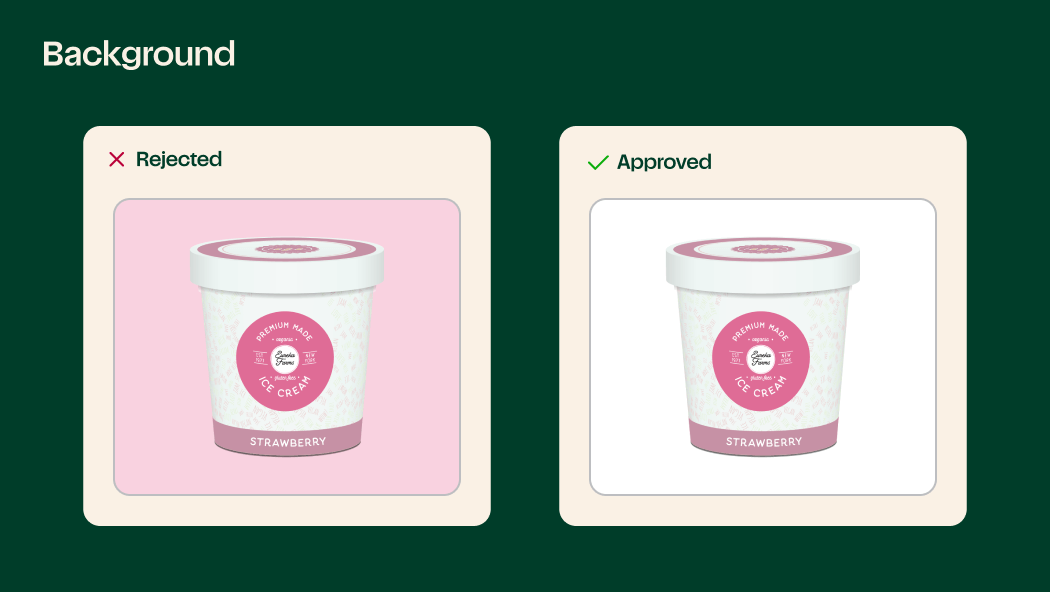
Product Images should have a pure white background.
The product fills the image and is touching the edges
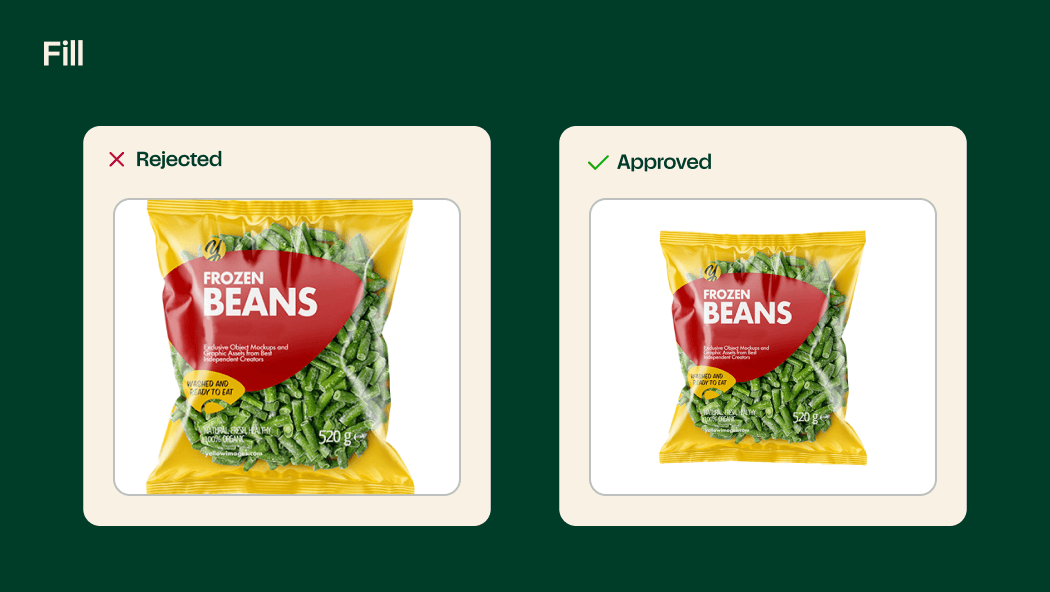
The product should fill 85% of the image, but should not touch the edges.
Product image colors are distorted
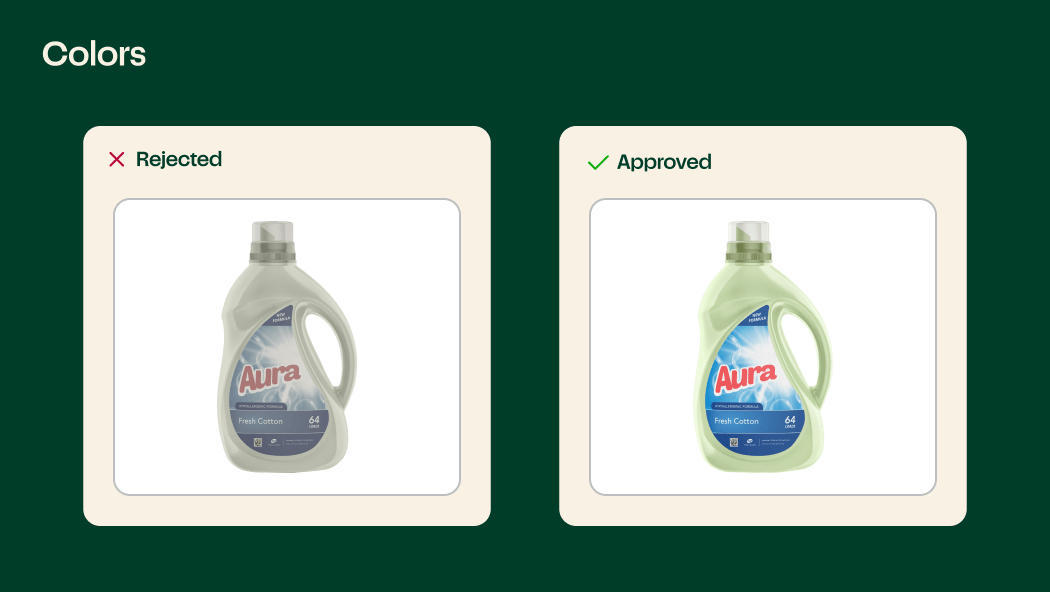
Product images should have accurate and realistic colors.
Products are shown outside of the packaging
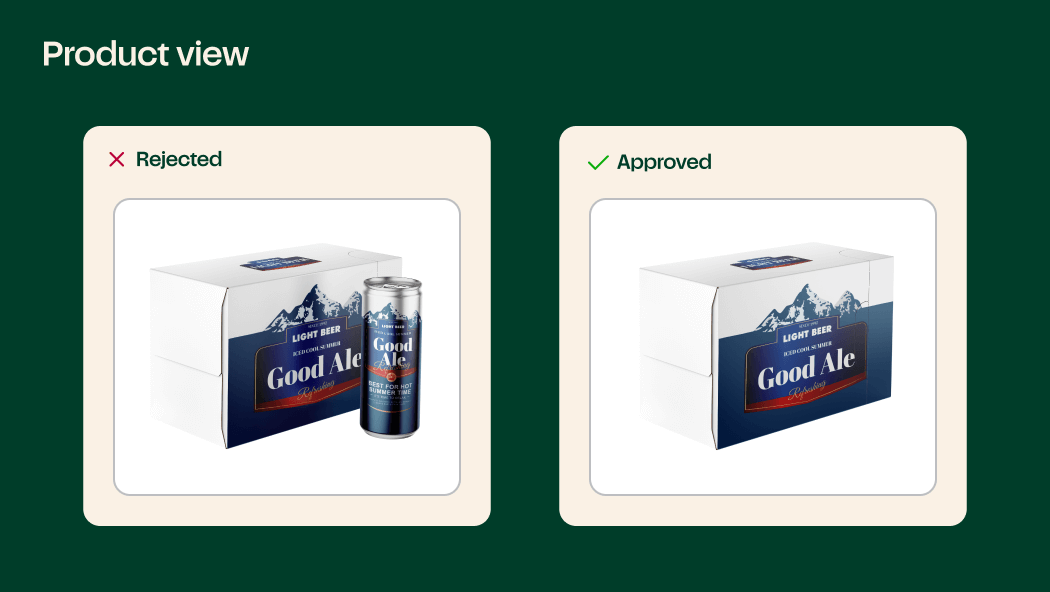
The image should show what the customer would see in store.
Showing the nutrition label on the product itself
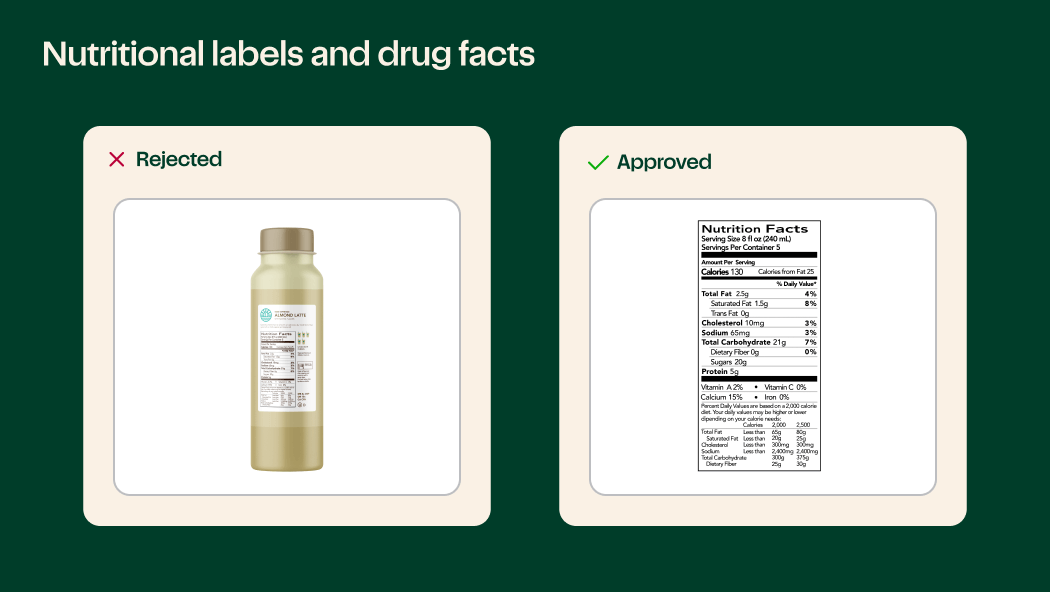
For additional example photos for Nutrition facts, Supplement facts, and Drug facts, see the photo guidelines in the right side bar of the Library.
Image dimensions do not match our submission criteria
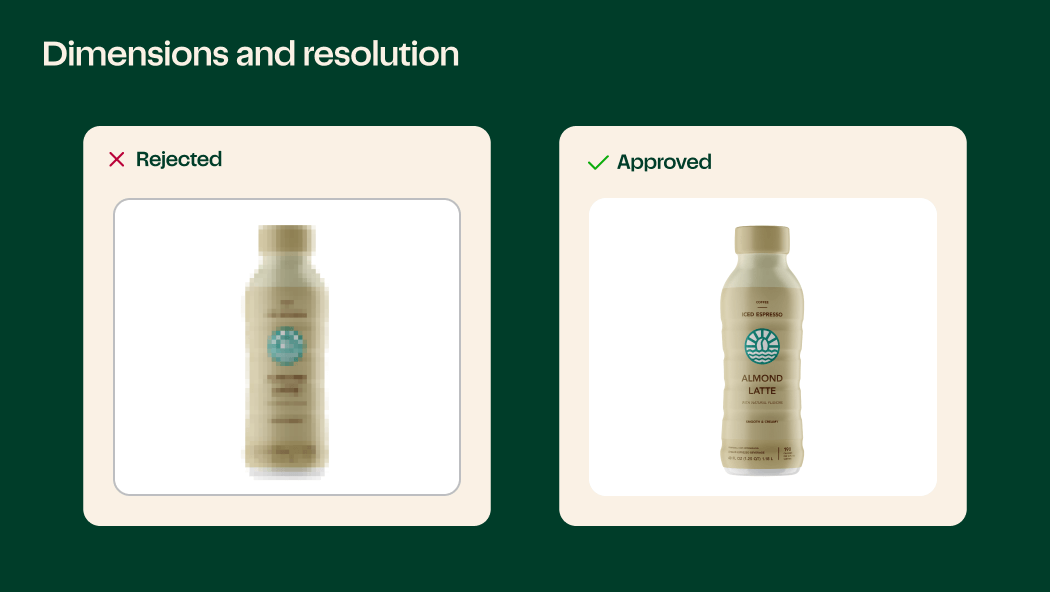
Ideal resolutions should be 1000 x 1000 px at 300 ppi with a maximum file size of 3 MB.
Images are submitted using an unaccepted file type
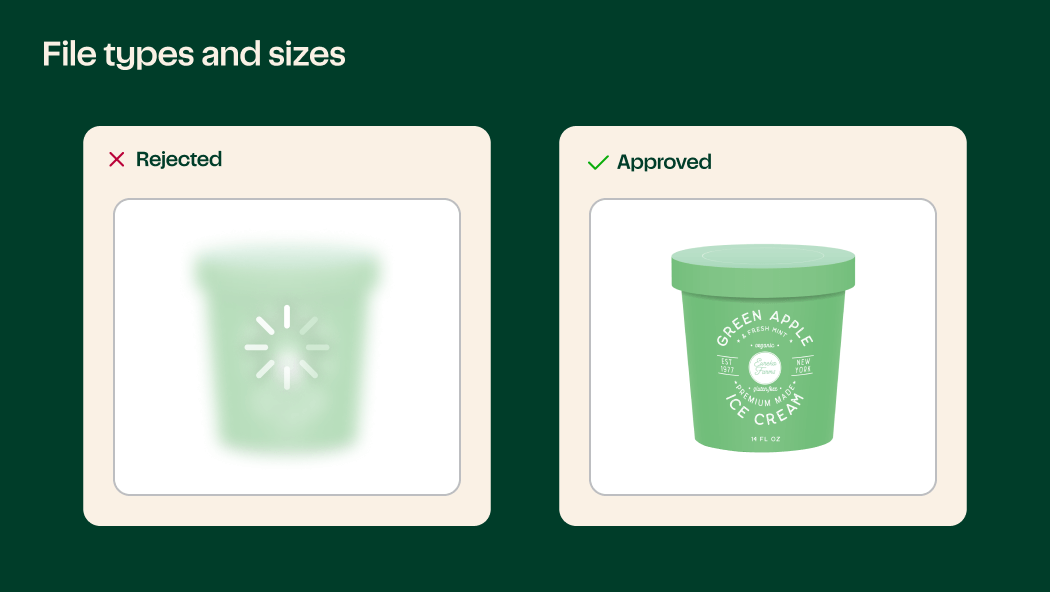
Accepted file types include: JPG, JPEG, and PNG.
There is added text or graphics to the product image
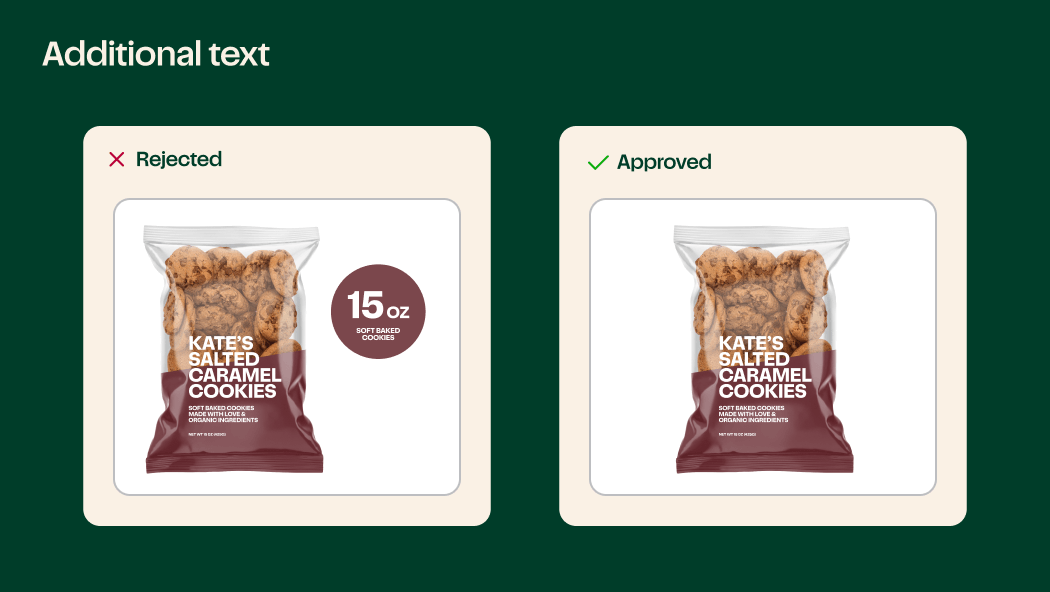
Why Do Some Product Images Have Added Text and Graphics, While Mine Cannot?
You may also have seen that some of the product images on Instacart contain additional text and graphics. Those images are likely coming from a third party content service provider (CSP), which currently undergo a different approval process. You can read more about working with CSPs in our product images guide. For more information, read about where product images on Instacart come from.
By now you should be well equipped to upload product images to Instacart and resolve some of the issues you may have encountered. If you still have concerns, do not hesitate to reach out to your Instacart representative with any remaining questions, and stay tuned for the next blog post on the Instacart Ads blog, which will do a deeper dive into the Library.

Instacart
Author
Instacart is the leading grocery technology company in North America, partnering with more than 1,800 national, regional, and local retail banners to deliver from more than 100,000 stores across more than 15,000 cities in North America. To read more Instacart posts, you can browse the company blog or search by keyword using the search bar at the top of the page.